MCP Access Control: Least Privilege for AI Agents

August 14, 2026
Key Takeaways
- MCP access control must govern both tool discovery and tool invocation. Hiding a tool from
tools/listis useful, but everytools/callstill requires an independent authorization check. - AISIX AI Gateway authenticates MCP clients with caller API keys and evaluates permissions against namespaced tool identities such as
github__create_issue. - Exact names provide the narrowest grants. Per-server and global wildcards simplify administration but also include matching tools added in the future.
- AISIX Cloud can move shared access from hundreds of individual keys into environment and team policies while allowing each key to inherit, narrow, or reject that access.
- A key can narrow an inherited grant but cannot widen it, and applicable deny rules always win.
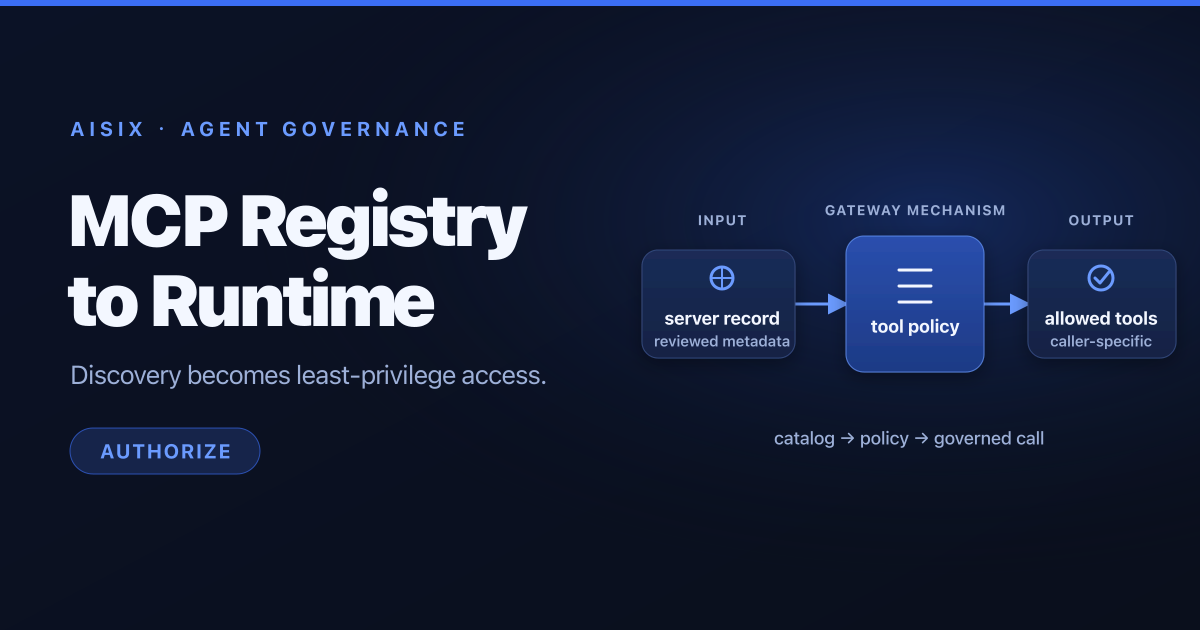
- Server review controls which tool sources reach gateways; access policies then control which callers can discover and invoke the published tools.
When an AI agent gains access to an MCP server, it does not simply gain another read-only data source. It may gain the ability to create tickets, change infrastructure, query customer records, or trigger business workflows. Treating the connection as one binary permission—connected or disconnected—is too coarse for production.
The safer model is least privilege: expose only the tools an agent needs for its role, prevent it from discovering tools it cannot use, recheck permission on every invocation, and ensure that adding a new server does not silently expand existing access.
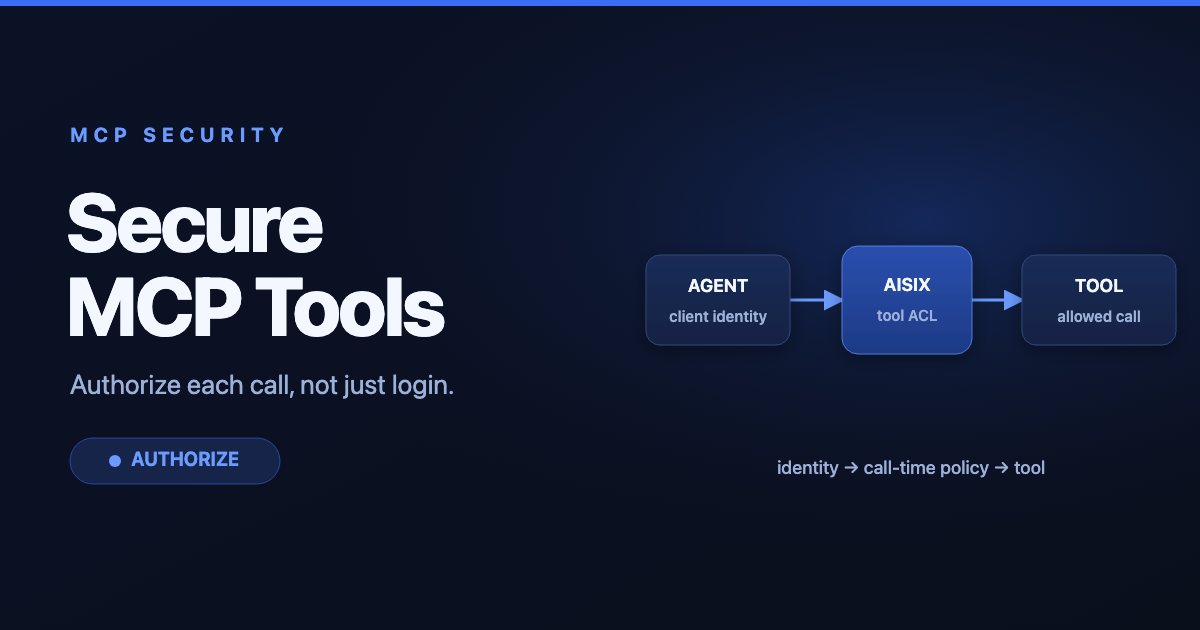
AISIX AI Gateway uses the caller API key as this authorization boundary. The same identity can govern model access, MCP tools, and A2A agents, while the MCP path applies tool-specific permissions before routing a call upstream. For a small rollout, permissions can live directly on each key. At larger scale, AISIX Cloud adds environment defaults, team entitlements, per-key restrictions, migration previews, and effective-permission inspection.
Why MCP Authorization Must Cover Discovery and Invocation
MCP separates tool discovery from tool execution. Under the official MCP tools contract, a client normally calls tools/list to learn what is available, then sends tools/call with a selected tool name and arguments. Both operations are security-sensitive.
An unrestricted tool list can reveal internal system names, operational workflows, and high-risk actions even when later calls are denied. A filtered list reduces that exposure and also improves agent behavior: the model selects from a smaller set of relevant tools instead of reasoning over capabilities it can never use.
Filtering alone is not authorization. A caller can construct a JSON-RPC request directly without selecting a tool from the returned list. AISIX therefore checks the effective grant again on tools/call. If the caller is not allowed to use that tool, the gateway returns a neutral MCP error and never contacts the upstream server. The error does not reveal whether the named tool or server exists.
AISIX also gives aggregated tools a stable identity. Each registered server has a name, and its tools are exposed through /mcp as <server>__<tool>. For example:
github__create_issuecallscreate_issueon the registeredgithubserver;runbooks__searchcallssearchonrunbooks;erp__get_invoicecallsget_invoiceonerp.
The namespace prevents a search tool from one server being confused with a search tool from another. Grants and deny patterns use the full namespaced form, while mcp_rate_limits uses its registered server segment. The same policy meaning holds when a client connects through a per-server endpoint such as /mcp/github, where tools are normally presented under their original upstream names.
sequenceDiagram
    participant Agent as AI Agent
    participant AISIX as AISIX AI Gateway
    participant Authz as Effective Tool Grant
    participant MCP as Upstream MCP Server

    Agent->>AISIX: tools/list + caller API key
    AISIX->>Authz: Filter namespaced tools
    Authz-->>AISIX: Allowed tools only
    AISIX-->>Agent: Filtered tool list
    Agent->>AISIX: tools/call github__create_issue
    AISIX->>Authz: Recheck exact tool
    alt Allowed
        AISIX->>MCP: call create_issue
        MCP-->>AISIX: result
        AISIX-->>Agent: MCP result
    else Denied
        AISIX-->>Agent: Neutral MCP error
    end
This request-time check matters when policies change. Revoking a tool does not depend on the client refreshing its cached tool list. The next invocation is evaluated against current effective access.
Start with Per-Key Least Privilege
The direct AISIX access model stores tool patterns in allowed_tools on the caller API key. If the field is omitted, null, or empty, the key has no MCP tool access. That fail-closed default prevents a key created only for model traffic from gaining tool access by accident.
Three pattern shapes cover most designs:
| Pattern | Meaning | Recommended use |
|---|---|---|
github__create_issue | One exact tool | Default for focused agents and write operations |
github__* | Every current and future tool on one server | Trusted service-specific agents |
* | Every tool on every current and future server | Exceptional administrative use only |
Patterns are single-asterisk globs, so a pattern such as *__search can grant tools named search across servers. That can be useful for a tightly standardized catalog, but exact names and per-server patterns are easier to audit.
Consider three agents using the same aggregated MCP endpoint:
| Agent role | Required tools | Suggested grant |
|---|---|---|
| Support reader | Search runbooks and read customer status | runbooks__search, crm__get_customer_status |
| Operations agent | Read runbooks and manage approved incidents | runbooks__*, tickets__create_incident, tickets__update_incident |
| Finance agent | Read invoices but never modify payment state | erp__get_invoice, erp__list_overdue_invoices |
The role table is intentionally asymmetric. The operations agent may use all tools on a curated runbooks server, but it gets exact grants for the ticketing server. The finance agent receives no wildcard because future ERP operations might include refunds, account changes, or other high-impact actions.
An open-source AISIX resources file can express these grants directly:
_format_version: "1"

api_keys:
  - display_name: support-reader
    key_env: SUPPORT_READER_KEY
    allowed_models: []
    allowed_tools:
      - runbooks__search
      - crm__get_customer_status

  - display_name: operations-agent
    key_env: OPERATIONS_AGENT_KEY
    allowed_models: []
    allowed_tools:
      - runbooks__*
      - tickets__create_incident
      - tickets__update_incident

  - display_name: finance-agent
    key_env: FINANCE_AGENT_KEY
    allowed_models: []
    allowed_tools:
      - erp__get_invoice
      - erp__list_overdue_invoices
Use environment interpolation for the plaintext keys, validate the complete resources file, and reload the gateway. In AISIX Cloud, the Admin API and dashboard provide the same per-key grant model, and the plaintext key is returned only when the key is created.
Scale Access with Environment, Team, and Key Policies
Per-key allowlists are precise, but they become difficult to maintain when an organization has hundreds of callers. If every key needs the same baseline and a platform team registers a new approved tool, updating each key individually creates delay and inconsistent access.
AISIX Cloud addresses that problem with three policy layers:
- The environment default policy supplies the base grant for keys in one environment.
- A team entitlement, when present, replaces that environment default grant for keys assigned to the team across the organization.
- The key's
mcp_accessmode decides whether it inherits the base, intersects it with a narrower restriction, or denies MCP access entirely.
The effective allow side can be summarized as:
base grant = team entitlement, when present; otherwise environment default
effective  = (base grant intersect key restriction) minus applicable denies
This AISIX Cloud example establishes an environment baseline and a non-negotiable deny, then reads the resolved policy evidence for an existing key whose mcp_access.mode is inherit:
curl -fsS -X PUT "$AISIX_CP/environments/$ENV_ID/mcp_policy" \
  -H "Authorization: Bearer $AISIX_TOKEN" \
  -H "Content-Type: application/json" \
  -d '{
    "mode": "selected",
    "allow": ["github__*"],
    "deny": ["github__delete_repository"]
  }'

curl -fsS \
  "$AISIX_CP/environments/$ENV_ID/api_keys/$API_KEY_ID/effective_permissions" \
  -H "Authorization: Bearer $AISIX_TOKEN" \
  | jq '.effective_permissions.mcp'
A key using inherit takes the base grant unchanged. A key using restrict intersects its own allow patterns with that base; it cannot add a tool that the base did not grant. A key using deny receives no MCP access. Deny patterns from the environment, team, and key are subtracted after the allow calculation, so deny always wins.
One nuance is important: a team entitlement replaces the environment's allow grant, but an environment-level deny still applies. It also applies to legacy keys that continue using explicit allowed_tools. This gives security teams an emergency or organization-wide veto without silently expanding any key's allow side.
flowchart TD
    Key["Caller API key"] --> Team{"Team has MCP entitlement?"}
    Team -->|Yes| TeamBase["Use team allow grant"]
    Team -->|No| EnvBase["Use environment allow grant"]
    TeamBase --> Mode{"Key mcp_access mode"}
    EnvBase --> Mode
    Mode -->|inherit| Base["Keep base grant"]
    Mode -->|restrict| Intersect["Intersect base with key allow"]
    Mode -->|deny| None["No MCP access"]
    Base --> Denies["Subtract environment, team, and key denies"]
    Intersect --> Denies
    Denies --> Effective["Effective tool grant"]
For example, keys without a team entitlement inherit the environment's github__* grant. A platform team entitlement could replace that allow side with github__create_issue and runbooks__*; it does not merge with the broader environment allow. The environment's github__delete_repository deny still applies, and a CI key may narrow its base again but cannot override the deny or add a new tool.
Administrators can inspect an API key's effective permissions to see the resolved allow and deny patterns and the source of each one. That source information is essential when a rule behaves differently from what a team expects. It turns authorization troubleshooting from guesswork into a traceable policy calculation.
Shared access policies, team entitlements, and effective-permission inspection are AISIX Cloud capabilities. Open-source deployments use the explicit allowed_tools configuration on each caller key.
Govern Which MCP Servers May Be Published
Caller authorization answers, “Who may use this tool?” A separate control is needed for, “Should this tool source exist on the gateway at all?”
An MCP server registration can expose remote operations with caller-supplied arguments. AISIX Cloud therefore supports a review workflow that separates proposing a server from publishing it. A custom role with write access to mcp_server_submissions, but not to mcp_servers, can submit a server or propose a change. An approver decides whether it reaches gateway data planes.
A new submission is pending_review and is not projected to any gateway. It does not appear in tools/list, and even an API key with a matching tool pattern cannot call it. Approval publishes it to the selected environments; rejection keeps it unavailable and can include notes for the submitter.
Changes to a live server are staged separately. While a proposed URL, credential, environment assignment, or OpenAPI document waits for review, gateways continue serving the last approved configuration. Approval applies and publishes the staged change in one control-plane action, followed by asynchronous projection to attached gateways. Rejection discards the proposal without disrupting the live server.
Reviewers should verify:
- that the server name is not a confusing near-copy of another namespace;
- that the upstream URL and allowed environments are correct;
- that the authentication mode and credential provenance are trusted;
- that an OpenAPI-backed server generates the intended tool surface;
- that high-risk tools will have suitably narrow caller policies.
Submitting, creating, approving, rejecting, updating, and deleting an MCP server all generate organization audit events. Policy writes, team entitlement changes, and key migrations are audited as well. Together, the review workflow and access policy create two gates: first approve the capability, then authorize the caller.
Migrate Existing Keys Without Accidental Expansion
AISIX Cloud does not automatically move existing keys from explicit allowed_tools lists into policy inheritance. That compatibility rule is deliberate: creating a broad environment policy must not silently grant new tools to legacy callers.
Use a controlled migration:
- Define the proposed environment policy and its deny rules.
- Preview the impact before saving or applying it.
- Review how many legacy keys would gain, lose, or retain patterns.
- Inspect changed-key samples, prioritizing privileged and production callers.
- Apply the migration to a small
key_idssubset first. - Read each test key's effective permissions and verify the policy source.
- Exercise
tools/list, one allowed call, and one denied call. - Expand the migration only after logs and usage events show expected behavior.
- Keep the previous
allowed_toolsvalues available for per-key rollback.
The preview compares patterns rather than expanding them into every concrete tool. That distinction matters for wildcards: github__* may include tools registered later. Reviewers must evaluate both the current tool catalog and the future scope implied by each pattern.
MCP Access Control FAQ
Does tools/list expose tools the caller cannot use?
No. AISIX filters discovery against the caller's effective grant. It also rechecks the grant on tools/call, so a manually constructed request cannot bypass the filtered list.
What happens when an allow and deny pattern both match?
Deny wins. Applicable environment, team, and key deny patterns are subtracted after the allow calculation, including for legacy keys that still use allowed_tools.
Are shared MCP access policies available in open-source AISIX?
Shared environment and team policies, migration previews, and effective-permission inspection are AISIX Cloud capabilities. Open-source AISIX uses explicit allowed_tools patterns on each caller API key.
Make Least Privilege the Default MCP Experience
MCP access control is most reliable when it is part of the platform rather than buried in prompts or agent code. Filter discovery so agents see only relevant tools, authorize every invocation, use exact names for sensitive operations, and keep a deny mechanism that no inherited grant can override.
For a small deployment, begin with per-key allowed_tools. As the number of teams and callers grows, AISIX Cloud policies move common grants to the environment and team level without allowing an individual key to widen its own access. The server review workflow ensures that new capabilities are inspected before those access rules can expose them.
Next, add runtime protections with guardrails and per-server rate limits. For configuration details, see Control Tool Access, Manage MCP Access with Policies, and Review and Approve MCP Servers.