MCP Gateway Architecture: Securing Tool Calls, Agents, and APIs

June 24, 2026
Key Takeaways
- An MCP Gateway is a control layer between AI agents, MCP clients, MCP servers, tools, and APIs.
- MCP standardizes how AI applications discover and invoke tools, resources, and prompts, but production deployments still need identity, authorization, rate limits, audit logs, and observability.
- Direct agent-to-tool access creates risks: over-permissioned tools, leaked credentials, unbounded tool calls, prompt injection, data exposure, and weak audit trails.
- A secure MCP Gateway architecture should enforce policy before tool execution and record every important runtime decision.
- API7 AI Gateway can help enterprise teams connect MCP traffic, model calls, and API traffic into a unified AI governance layer.
What Is an MCP Gateway?
An MCP Gateway is a runtime control layer that sits between AI agents or MCP clients and the MCP servers, tools, resources, prompts, and APIs they access. Its job is to make agent tool use governable: authenticate the caller, authorize the tool call, apply rate limits and quotas, protect credentials, route requests, observe behavior, and write audit records. This architecture is closely related to the broader question of AI Gateway for AI agents.
The AI Gateway Guide explains how MCP traffic fits alongside model routing, agent traffic, security, and cost control. This article focuses specifically on MCP deployment topology and trust boundaries.
The Model Context Protocol uses a client-server architecture. An MCP host, such as an AI application, creates MCP clients that connect to MCP servers. MCP servers expose primitives such as tools, resources, and prompts. Tools are executable functions that an AI application can invoke, resources provide context data, and prompts provide reusable interaction templates.
That standardization is powerful. It makes tools easier for AI applications to discover and use. But it also creates an operational question: when an agent can discover and invoke tools dynamically, where should the enterprise enforce access control, rate limits, audit, and safety policies?
That is the role of an MCP Gateway.
Why MCP Needs a Gateway Architecture
MCP makes tool integration more consistent. It does not automatically solve production governance.
The official MCP architecture describes key participants: MCP Host, MCP Client, and MCP Server. It also describes a data layer based on JSON-RPC 2.0 and a transport layer that may use stdio for local processes or Streamable HTTP for remote servers. MCP clients can discover tools using tools/list and execute tools using tools/call.
Those primitives are exactly why gateway architecture matters. A tool call is not just a model completion. It can read files, query databases, call SaaS APIs, send messages, change records, or trigger workflows. In enterprise environments, these actions need the same seriousness as API access.
Without a gateway, each agent application may connect directly to MCP servers:
- Every application handles credentials differently.
- Tool permissions are buried in application logic.
- Rate limits are inconsistent or missing.
- Security teams cannot see which agent called which tool.
- Developers may expose tools that are too broad for the agent's role.
- Audit logs do not connect user identity, model calls, tool calls, and API actions.
- Cost and usage are difficult to attribute.
A gateway gives platform teams a shared enforcement point.
MCP Gateway Reference Architecture
A production MCP Gateway architecture should keep agents flexible while preventing direct, ungoverned access to tools and APIs.
flowchart LR
    User[User] --> App[AI Application or Agent Runtime]
    App --> Client[MCP Client]
    Client --> Gateway[MCP Gateway]
    Gateway --> Auth[Identity and AuthN/AuthZ]
    Gateway --> Policy[Policy Engine]
    Gateway --> Limit[Rate Limits and Budgets]
    Gateway --> Audit[Audit Log]
    Gateway --> Obs[Metrics, Logs, Traces]
    Gateway --> ServerA[MCP Server: CRM Tools]
    Gateway --> ServerB[MCP Server: Knowledge Tools]
    Gateway --> ServerC[MCP Server: DevOps Tools]
    ServerA --> API1[Internal APIs]
    ServerB --> Data[Knowledge Base]
    ServerC --> API2[Deployment APIs]
The key design choice is that the agent runtime should not reach every MCP server directly. It should go through a gateway where enterprise controls can be enforced consistently.
In many organizations, an MCP Gateway will not be a completely separate product category. It will be part of a broader AI Gateway or API Gateway strategy. The important point is the control plane: AI traffic, MCP traffic, and API traffic need shared policy and observability.
Request Flow Through an MCP Gateway
A typical MCP tool call follows this path:
sequenceDiagram
    participant Agent as AI Agent
    participant Client as MCP Client
    participant GW as MCP Gateway
    participant Policy as Policy Engine
    participant MCP as MCP Server
    participant API as Internal API
    participant Audit as Audit Log

    Agent->>Client: Decide to use a tool
    Client->>GW: tools/call with tool name and arguments
    GW->>Policy: Check identity, scope, tenant, tool policy
    Policy-->>GW: Allow, deny, or require confirmation
    GW->>MCP: Forward approved tool call
    MCP->>API: Execute backend API action
    API-->>MCP: Return API result
    MCP-->>GW: Return tool result
    GW->>Audit: Record caller, tool, arguments metadata, policy result
    GW-->>Client: Return governed tool response
    Client-->>Agent: Provide tool result to model context
This flow gives platform and security teams a clear place to answer operational questions:
- Which user or application initiated the call?
- Which agent made the decision?
- Which MCP server and tool were used?
- What policy allowed or denied the request?
- Which internal API or data source was touched?
- How long did it take?
- Did the tool call fail?
- Was sensitive data involved?
These questions are difficult to answer when each agent connects to tools independently.
Core Components of MCP Gateway Architecture
1. Identity Layer
MCP Gateway security starts with identity. In an agent workflow, there may be several identities:
- The human user
- The AI application
- The agent runtime
- The MCP client
- The MCP server
- The backend service account
- The tenant or workspace
Do not collapse these into one long-lived API key. The gateway should preserve enough identity context to enforce policy and support audit.
For example, a support agent may be allowed to read subscription status on behalf of a logged-in support user, but not update billing details. A developer agent may read deployment logs, but not restart production services unless additional approval is present.
2. Authorization and Tool Scopes
MCP tools should be scoped like APIs. A tool name alone is not enough.
A practical authorization model should consider:
- User role
- Application role
- Agent type
- Tenant or workspace
- Environment, such as dev, staging, or production
- Tool risk level
- Backend API scope
- Read versus write actions
- Data classification
The gateway can maintain a tool allowlist and denylist per actor. It can also require explicit user confirmation for risky actions. For traditional API traffic, API7.ai explains the same enforcement mindset in its article on API gateway policies.
mcp_tool_policy:
  actor:
    app: support-agent
    environment: production
  allowed_tools:
    - name: crm.lookup_customer
      access: read
    - name: billing.get_subscription_status
      access: read
    - name: ticket.create_case
      access: write
      requires_user_confirmation: true
  denied_tools:
    - billing.update_payment_method
    - account.delete_customer
  audit:
    log_tool_name: true
    log_argument_schema: true
    log_sensitive_values: false
This is a policy shape, not a product-specific configuration. The architecture principle is what matters: tool permissions should be explicit, reviewable, and enforced outside the agent prompt.
3. Credential Protection
Agents should not carry provider keys, SaaS tokens, or database credentials directly. Credentials should be stored and applied by the gateway or the backend service layer.
This reduces several risks:
- Secrets copied into application repositories
- Long-lived keys exposed to agent runtime
- Inconsistent key rotation
- Unclear ownership of provider credentials
- Hard-to-revoke access after an incident
The gateway should exchange or attach credentials only after a request is authenticated and authorized.
4. Rate Limits, Quotas, and Budgets
Agent workflows can create more traffic than developers expect. One user request may trigger multiple model calls and several tool calls. A buggy loop or poorly constrained agent can overload an MCP server or call expensive APIs repeatedly.
MCP Gateway limits should be multidimensional:
- Requests per user
- Requests per agent
- Requests per tenant
- Requests per tool
- Requests per MCP server
- Concurrent tool calls
- Daily or monthly budgets
- Error-rate based circuit breakers
Rate limits for MCP traffic should be connected to AI cost governance. If an agent repeatedly calls a retrieval tool and then sends long context to a model, the organization needs to see both the tool usage and token impact. API7.ai's guide to rate limiting in API management is a useful reference for the traffic-control side of this design.
5. Observability
MCP traffic needs more than basic request logs. A production architecture should collect:
- Tool call count
- Tool call latency
- Tool call error rate
- Policy allow and deny counts
- MCP server health
- Backend API error rate
- Agent, user, team, tenant, and environment dimensions
- Model calls before and after tool calls
- Token usage around tool-augmented workflows
- Cost attribution
flowchart TB
    ToolCall[MCP Tool Call] --> Metrics[Metrics]
    ToolCall --> Logs[Structured Logs]
    ToolCall --> Trace[Distributed Trace]
    ToolCall --> Audit[Audit Event]
    Metrics --> Dash[Operations Dashboard]
    Logs --> SIEM[Security Analysis]
    Trace --> Debug[Agent Workflow Debugging]
    Audit --> Compliance[Compliance Review]
This is where a gateway can give teams operational leverage. Instead of each agent framework producing its own telemetry format, the gateway can normalize the most important runtime events. For distributed API systems, OpenTelemetry tracing provides a strong external foundation for connecting model calls, tool calls, and backend API requests.
6. Audit Trail
Audit is different from observability. Observability helps engineers debug and operate systems. Audit helps security, compliance, and business teams reconstruct what happened.
An MCP Gateway audit event should ideally record:
- User identity
- Application identity
- Agent identity
- Tenant or workspace
- MCP server
- Tool name
- Tool argument metadata
- Policy decision
- Backend API scope
- Timestamp
- Result status
- Correlation ID
- Sensitive data handling outcome
Avoid logging raw sensitive values unless there is a strict reason and appropriate protection. Metadata-level logging is often enough to establish accountability without expanding data risk.
MCP Gateway vs API Gateway vs AI Gateway
MCP Gateway, API Gateway, and AI Gateway are related layers. They should cooperate rather than compete.
| Layer | Primary Scope | Enterprise Role |
|---|---|---|
| API Gateway | API traffic between clients and services | Secure and manage APIs |
| MCP Gateway | Agent-to-tool and MCP client-to-server traffic | Govern tool discovery, tool execution, and MCP server access |
| AI Gateway | LLM, agent, tool, and AI application traffic | Govern the full AI runtime across models, APIs, tools, budgets, and observability |
An API Gateway protects the APIs that tools often call. An MCP Gateway governs how agents discover and execute tools. An AI Gateway ties model calls, tool calls, agent workflows, and API access into a broader policy and observability model.
This is why enterprise teams should avoid treating MCP as a side channel. MCP traffic should be visible to the same platform and security teams that already govern APIs.
Security Risks an MCP Gateway Should Reduce
Over-permissioned Tools
If a tool exposes broad access, an agent may do more than intended. A tool named run_query is much riskier than a tool named get_customer_subscription_status with a narrow input schema and read-only permissions.
Prompt Injection
Tool-using agents may consume external content. Malicious or compromised content can try to influence the agent to call tools in unsafe ways. Gateway policies provide an external enforcement layer that does not rely only on the model following instructions.
Credential Exposure
MCP servers and tools often need credentials for backend systems. Those credentials should not be visible to the model or copied into application-level agent code.
Unbounded Tool Loops
Agents can call tools repeatedly while trying to complete a task. Limits, budgets, timeouts, and circuit breakers are necessary production controls.
Weak Auditability
If tool calls are only visible inside application logs, security teams may not be able to reconstruct a workflow. A gateway-level audit trail gives a more consistent record.
Tool Shadowing and Confusing Tool Names
Dynamic tool discovery is useful, but it can also introduce ambiguity. Gateway-managed registries, naming conventions, allowlists, and tool metadata review can reduce the risk that an agent selects an unintended tool.
Implementation Checklist
Enterprise teams can use this checklist before exposing MCP servers to production agents:
- Inventory all MCP servers and the tools they expose.
- Classify tools by risk: read-only, write action, financial action, security-sensitive action, or production operation.
- Define identity propagation for user, app, agent, tenant, and environment.
- Put MCP traffic behind a gateway layer instead of allowing direct agent-to-server access.
- Enforce tool allowlists by application and role.
- Require confirmation or additional authorization for high-risk write tools.
- Store provider and backend credentials outside the agent runtime.
- Add rate limits by user, agent, tool, MCP server, and tenant.
- Record audit events for every meaningful tool call.
- Monitor latency, errors, policy denials, tool usage, token impact, and cost.
- Add circuit breakers for failing MCP servers or runaway agent loops.
- Review tool schemas and descriptions before making them available to production agents.
Example Gateway Policy for MCP Traffic
The following example shows the kind of structured policy a platform team may want to manage centrally.
mcp_gateway:
  routes:
    - match:
        server: crm-tools
        tools:
          - crm.lookup_customer
          - crm.search_accounts
      auth:
        require_user: true
        require_app: support-agent
      limits:
        requests_per_minute: 120
        concurrent_calls: 20
      audit:
        level: metadata
        include_policy_decision: true

    - match:
        server: billing-tools
        tools:
          - billing.get_subscription_status
      auth:
        require_user: true
        require_role:
          - support
          - finance-ops
      limits:
        requests_per_minute: 60
      data_policy:
        redact:
          - payment_card
          - tax_id

    - match:
        server: billing-tools
        tools:
          - billing.update_payment_method
      action: deny
      reason: "Use human-approved workflow outside autonomous agent path"
This example is intentionally conservative. Many organizations should start with read-only tools, metadata-level audit, narrow allowlists, and clear escalation paths before enabling write actions.
How API7 AI Gateway Fits
API7 AI Gateway, represented by AISIX for LLMs and agents, is designed around the idea that AI traffic needs production-grade gateway infrastructure. The API7 AI Gateway page highlights an OpenAI-compatible API, 100+ providers, model routing, failover, rate limits, budgets, guardrails, request logging, cost and usage visibility, encrypted keys, and cloud or VPC deployment options.
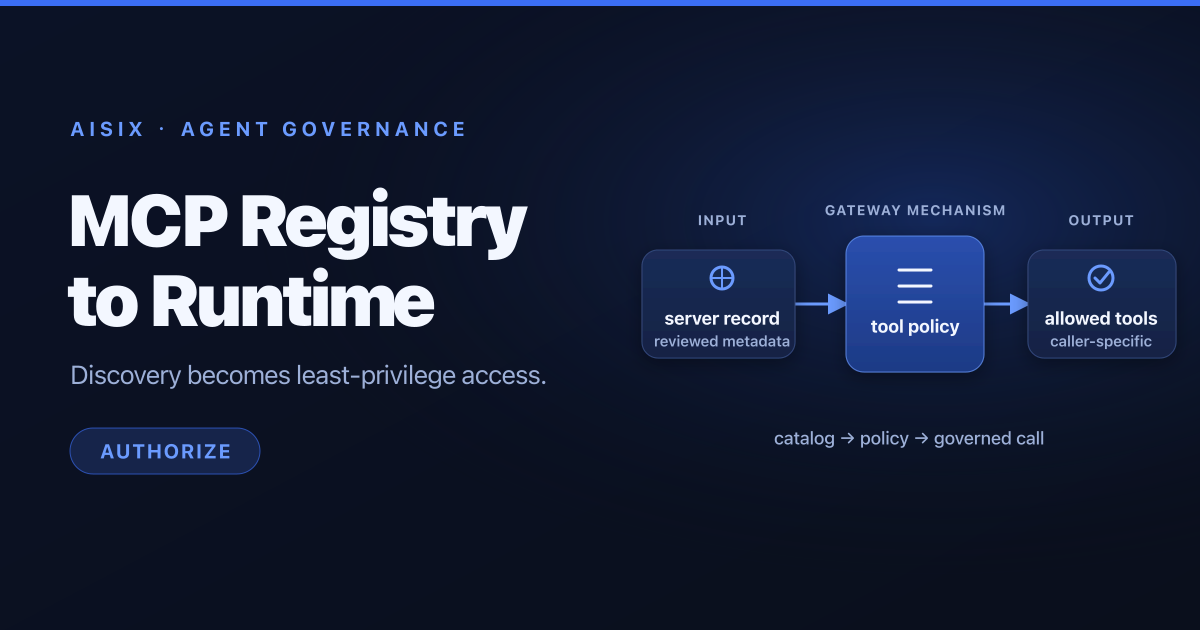
For the product-specific MCP path—including the documented /mcp endpoint, tool grants, upstream authentication, traffic controls, guardrails, and MCP usage events—see the AISIX MCP Gateway product page.
Those capabilities matter for MCP architecture because MCP traffic rarely exists in isolation. A real agent workflow may call a model, discover a tool, call an MCP server, invoke an internal API, and then call another model. Teams need to see and govern that full path.
API7's background as the team behind Apache APISIX is also relevant. Apache APISIX demonstrates gateway primitives such as plugin-based traffic management, authentication, rate limiting, observability integrations, and AI provider proxying through the ai-proxy plugin. That gateway foundation is a strong fit for enterprises that do not want AI agents to become an unmanaged side channel around existing API governance.
The practical API7 message is:
- Put model calls, MCP tool calls, and API traffic behind a shared gateway strategy.
- Keep credentials centralized.
- Make policies explicit.
- Observe every meaningful runtime event.
- Connect AI adoption to existing platform, security, and compliance practices.
A Practical Rollout Path
Do not start by exposing every MCP server to every agent. Start with a constrained path:
- Choose one production AI application or agent workflow.
- Identify the smallest set of tools it needs.
- Put those MCP servers behind a gateway route.
- Use read-only tools first when possible.
- Add identity propagation and narrow allowlists.
- Add metadata-level audit for each tool call.
- Add rate limits and timeout budgets.
- Monitor policy denials, errors, and repeated tool calls.
- Expand to higher-risk tools only after the operational model is proven.
This rollout keeps the system useful while reducing the chance that the agent becomes a privileged automation channel with weak controls.
FAQ
What is an MCP Gateway?
An MCP Gateway is a control layer between MCP clients or AI agents and MCP servers. It enforces identity, authorization, rate limits, quotas, routing, observability, and audit for tool and resource access.
Is MCP Gateway the same as an API Gateway?
Not exactly. An MCP Gateway applies gateway principles to MCP traffic, especially tool discovery and tool execution. An API Gateway manages API traffic more broadly. In production, the two should work together because MCP tools often call APIs.
Is MCP Gateway part of an AI Gateway?
It can be. An AI Gateway is broader because it governs model calls, agent workflows, tool calls, API access, policies, cost, and observability. MCP Gateway capabilities are often one part of that broader AI Gateway architecture.
Why do AI agents need MCP Gateway?
AI agents can dynamically discover and invoke tools. Without a gateway, tool permissions, credentials, limits, and audit trails can become inconsistent across applications. A gateway gives enterprises a central enforcement point.
How do you secure MCP servers?
Start with identity-aware access, narrow tool allowlists, credential isolation, rate limits, metadata-level audit, observability, and explicit policy for high-risk actions. Avoid exposing broad tools directly to agents.
What should teams monitor in MCP traffic?
Monitor tool call volume, latency, error rate, policy denials, MCP server health, user/app/agent dimensions, backend API failures, repeated tool loops, token impact, and cost attribution.
Conclusion
MCP standardizes how AI applications connect to tools, resources, and prompts. That standardization makes agentic AI more practical, but it also makes runtime governance more important.
An MCP Gateway gives enterprise teams a place to enforce identity, scope tool access, protect credentials, apply limits, monitor behavior, and create audit trails. It keeps agent workflows flexible without letting tool access become unmanaged infrastructure.
For platform teams, the best architecture is not direct agent-to-tool access. It is a governed runtime path where model calls, MCP tool calls, and API traffic can be secured and observed together.
API7 AI Gateway helps teams move in that direction by applying production gateway principles to LLMs, agents, tools, and APIs. If your organization is building AI agents that need access to enterprise systems, explore API7 AI Gateway and start designing MCP traffic as part of your broader AI governance layer.